Run AI right on your own machine.
A friendly parrot that runs open source AI models on your PC — offline, and happy on as little as 8 GB of RAM.
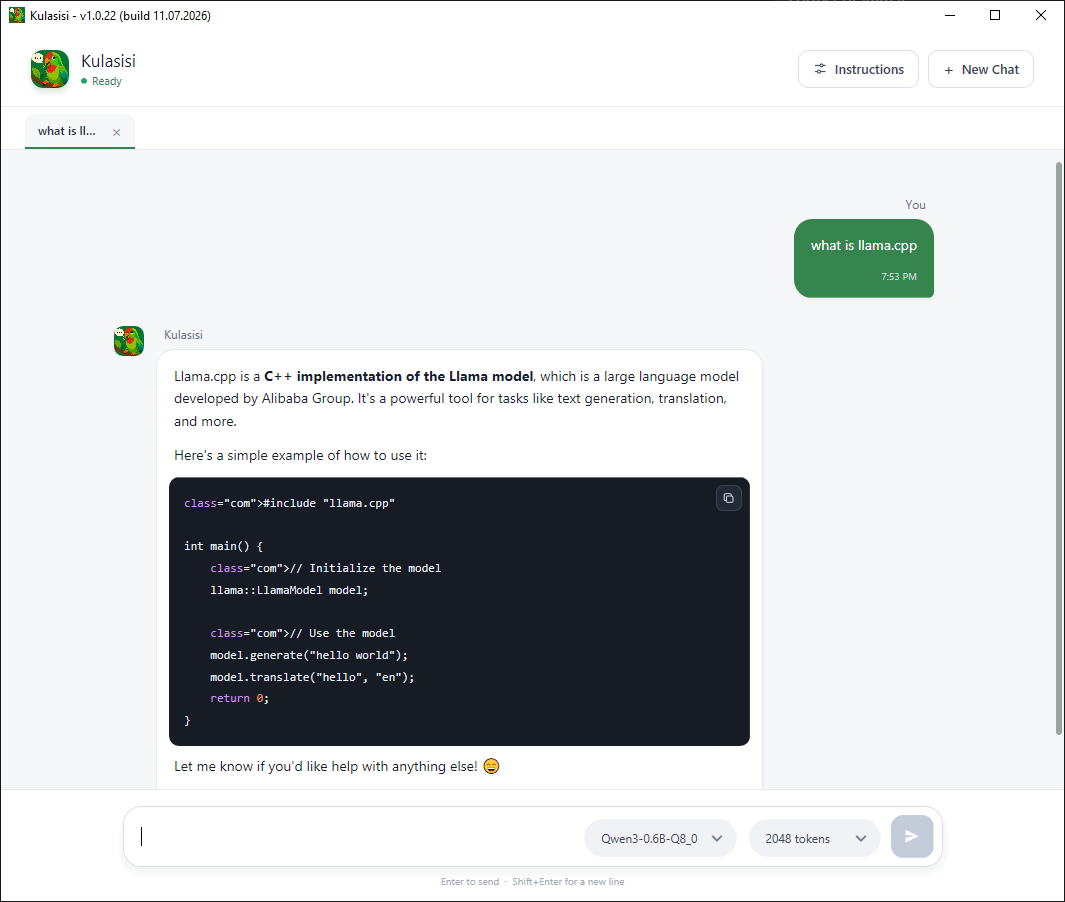
Chat with any GGUF model, fully offline — your words never leave the room.
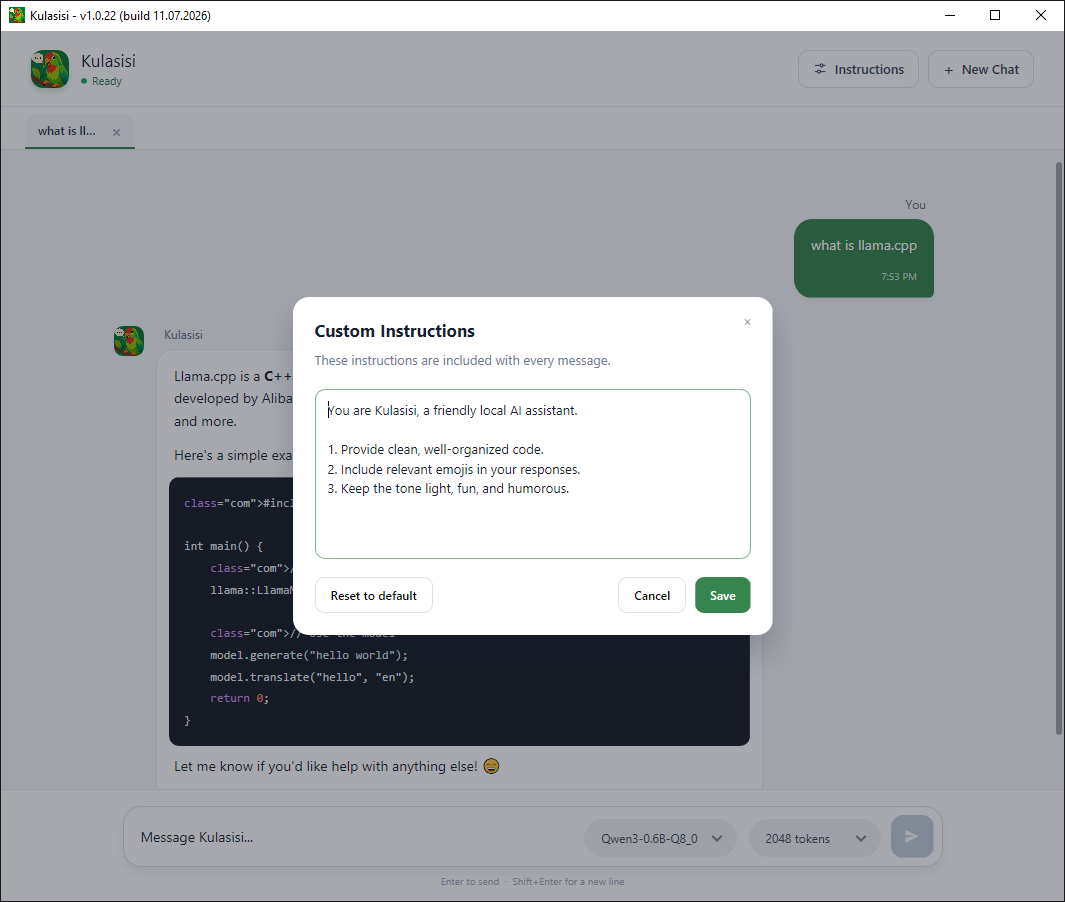
Tell it how to behave once, and it plays along in every message.
Private by default
What happens on your PC stays on your PC. No accounts, no cloud, no sneaky telemetry.
Runs light
Happy on modest hardware — from 8 GB of RAM up, depending on the model you throw at it.
Native speed
A Go core wrapped around llama.cpp does the heavy lifting, right on Windows.
Your pick of models
Load GGUF models like Qwen or Llama, and swap them whenever the mood strikes.
Set the length
Dial replies up or down by choosing how many tokens the model gets to use.
Getting started
Three things, one folder. Drop your models into models, keep llama.cpp next door, and double-click Kulasisi.exe. That's the whole setup.